Services offered, equipment available
We have a whole lab full of video equipment, and we have a GRA, Victor Zordan, to run the equipment and show you how to use it, too. Here's a small GIF of Victor, so you'll be able to pick him out of the crowd.
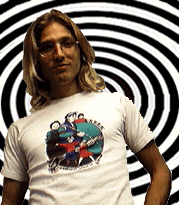
We do a lot of stuff in the lab, but there are some things that we can't do. If you can't find the information that you need in these pages, just ask Victor. He'll tell you whether it's possible.
What kinds of stuff do you do?
Making videotapes is our business. We can make tapes using a variety of sources in a variety of formats. The most-requested service is scan converting. Scan converting is a way to record the image from a computer monitor without getting that bothersome flicker. We also edit tapes and make copies of tapes.
We support these videotape formats:
You must supply your own tapes. If you are scan converting an application, you can probably get by with only one tape, but if you want to do any editing, you'll need two tapes. And they'll need to be MII tapes, as we only edit on MII. As far as tape prices go, VHS tapes are cheap, S-VHS costs a bit more, and MII tapes are really expensive. Tape Warehouse in Chamblee, GA is a good place to get reasonably-priced tapes in a variety of lengths and formats (look them up, they're in the phone book).
Here's what we use to do our stuff
This is the equiment that we have, along with a brief description of what it does:
- S-VHS VCR (2)
- Records VHS and S-VHS tapes. You can insert audio and video and perform cuts-only edits. Editing is not very precise.
- MII VCR
- Broadcast-quality editing decks. Very precise editing using SMPTE Timecode and edit controller.
- Edit controller
- Controls the MII editing decks. Use it to search tapes, add in and out points, and preview and perform edits.
- Sony monitors (3)
- Display video signals from various sources.
- Abekas diskus
- Stores and plays back animations at 30 frames per second.
- Laser disc
- Optical disc for storing images. Plays back animations at 30 frames per second (fps). Requires special account to use.
- Parallax frame buffer
- Hardware installed on Obelix. Use to display images and dump images to laser disc. Reads SGI (RGB) and Sun Raster formats. Most often used to display the GVU logo.
- Video toaster
- Creates titles and special effects. Switches between two sources. Hardware inside Amiga 2000.
- Scan converter
- Grabs images from computer. Allows you to videotape computer output without flicker. You can scan convert from Ansley, the Sun located in the Usability Lab, from the Reality Engines Dunwoody and Havana, and from Tumble, the Indy in the Animation Lab.
- Time base corrector
- Cleans and stabilizes the video signal. Must use when recording to laser disc and recording from VHS and S-VHS to MII. The MIIs have built-in TBCs.
- Blackburst generator
- Provides master source of sync used to genlock equipment. Also provides black signal for recording. MII tapes must have black and timecode recorded before use.
- Distribution amp
- Boosts signal for distribution to other devices. Sends signals into the GVU lab.
- CD player
- Plays CDs for listening pleasure or recording. Be aware of copyright issues and don't break the law. We are law-abiding citizens here in the Animation Lab.
- Alesis adat
- Records digital audio. Uses SMPTE time code format so that you can sync audio to video.
- 16 channel audio mixer
- Input and output for up to 16 audio sources. Allows you to mix multiple audio sources.
- Amplifier and tuner
- Amp boosts audio signal. Tuner finds radio station signals. Our tuner stays on 99.7.
- Macintosh Soundtools
- Digitizes audio. Uses SMPTE timecode.
- Microphones
- Record narration.
- Film recorder
- Makes 35mm slides from computer images. You supply the film--Fujichrome 50.
- Tumble, an SGI Indy
- Scan convert, dump images to laser disc or the Abekas, make MPEG movies.
The Usability lab is located in room 208 of the GVU. The Usability lab is comprised of the lab and an observation/control area. The equipment in the lab changes from quarter to quarter, but the lab usually houses a Sun and Macintosh computer, plus video cameras and a microphone. You control the cameras and record your session from the observation/control area in the GVU.
Services and equipment
The Animation Lab GRA can assist you in the Usability lab. After learning the setup, you can use the equipment on your own, though.
The Usability lab has this equipment:
- Three cameras (not camcorders); two are wall-mounted, one uses a tripod.
- A microphone
- An intercom
The observation area has this equipment:
- Two VCRs, one stereo, one mono
- A microphone
- A video/audio mixer
- An audio mixer
- An intercom
- Two video monitors
- A remote control for the cameras
- A clock for recording the time on video
With this setup, you can unobtrusively observe and record usability sessions. The intercom lets you speak to people in the lab from the observation area. the mixer lets you record split screen so that you can watch the screen and the subject at the same time.
Instructions for using the equipment are posted in the observation/control area.
The GVU also has two other S-VHS recorders available. One is located in the GVU conference room (cannot be moved), and the other is kept on a movable cart in the GVU. You must check out the cart from Joan Morton in the GVU main office.
You can also check out a VHS camcorder from Joan Morton. Remember that you must supply your own tapes.