Project 2: Galileo’s Experiment

Due: Feb 13, 2015, 10AM
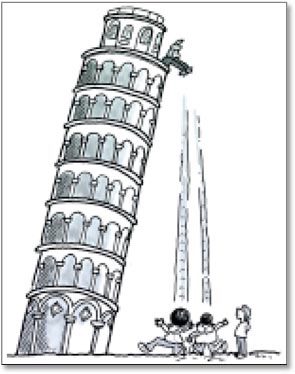
You will implement two numerical integration methods and show that one of them yields the same motion as the analytical solution, while the other one does not.
In your executable, show three particles side-by-side falling from 80 meters to the ground. Drop the particles at the same time with zero initial velocity. Render the particle that follows the analytical solution red and the other two blue. Draw a plane to indicate the ground.
Skeleton code
The skeleton code is built using DART libraries. DART is a powerful toolkit which provides physics simulation and many other capabilities. For this project, however, you will only need to use a small set of functionalities of DART, namely, basic UI and vector computation. You will implement your own integrators and differential equations for the particle system, instead of using those provided by DART.
Step 1: Install and build DART: CS4496 branch.
-
•Go to https://github.com and sign up for an account (it’s free!).
-
•Go to https://github.com/dartsim/dart and
-
•Click on “Wiki” in the right column.
-
•Click on “Installation” and follow the instructions for version 4.2 to install DART.
-
•Modify the clone command line with the CS4496 branch:
-
git clone -b CS4496 git://github.com/dartsim/dart.git
Step 2: Run the skeleton code.
Once you install and build DART, compile and run the following app under your build directory
bin/galileo
As you can see, the skeleton code currently is only moving particles linearly instead of simulating them based on physics.
Step 3: Understand the skeleton code.
The source code of the app can be found at
apps/galileo/
That’s where you will develop your code to complete this project. The skeleton code provides a viewing window and some incomplete UI functionality, but they are a good starting point. Before you start coding, you need to understand the organization of code. It has the following classes: MyWorld, MyWindow, and Particle. Once you fully understand the code, extending it to complete the project is much easier.
Step 4: Extend skeleton code to complete the tasks.
You need to implement a complete particle system and required integrators. Your simulation should replace the dummy code in MyWorld::simulate(). You can also add more functions and data members to the existing classes or create new classes in new files.