Project 3: Fun with rigid bodies

Due: April 2, 2012, 10 AM
In this project you will use NVIDIA PhysX to create an interactive game featuring rigid body simulation. Yes, something like Angry Birds (http://en.wikipedia.org/wiki/Angry_Birds), Cut the Rope (http://itunes.apple.com/us/app/cut-the-rope/), or others (http://www.physicsgames.net/). This project is really open-ended and you can unleash your imagination to create the coolest physics game that no one has ever seen. If you are looking for inspiration, here are a few games I like a lot. You are allowed to use any third party software to develop your physics game. The final product will be evaluated based on its functionality, novelty, and esthetics. See below for more detailed guideline for grading. You will work with your partner on this project.

http://www.physicsgames.net/game/Little_Big_Balance_2.html
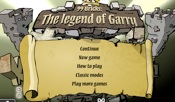
http://www.physicsgames.net/game/99_Bricks_Legend_of_Garry.html

http://www.physicsgames.net/game/Red_Ball_2.html

http://www.physicsgames.net/game/Redstar_Fall.html
Skeleton code
The skeleton code is just a quick way to get you started. You might end up not using it at all in your final code. More complete list of functions can be found in PhysX manual and demo. The current skeleton code is compatible with PhysX 2.8.4.
How to build skeleton code?
-
1.Go to http://devsupport.ageia.com to register as PhysX developer.
-
2.Download and install PhysX 2.8.4 on your computer
-
3.Add all the sub-directory (cooking, foundation, physics, nxcharacter, nxloader)
in the directory "SDKs" inside PhysX to “include direction” of skeleton code.
-
4.Add all PhysX lib.
-
5.Add the directory "utils" in skeleton code to “include directory”.
-
6.Copy all the dll files from the directory "bin" in PhysX to the skeleton code.
-
7.Run the program.
PhysX tutorials
The tutorials that come with the PhysX download are extremely helpful. Your first action should be reading the documents and the source code of the tutorials. You should go over at least the first five lessons in Chapter 1 and the first three lessons in Chapter 2.
Requirements
-
1.3-minute mini presentation in class (April 2)
-
2.Create a website that includes the following items:
Description of the game
Player instructions
Screenshots
Downloads of the executable and source code
Grading Guideline
For each of the following category, we will rank the entire class into five batches. The scores will be assigned based on the rank and the weight of each category
Functionality 45% (judge: Karen Liu and Chen Tang)
Is the simulation stable?
Is collision handled properly?
Does it run in real-time?
How smooth is the user control?
Are there special features that require additional technical implementation (e.g. audio, articulated rigid body systems, spring-mass systems, mesh representation of rigid bodies)?
Esthetics 20% (judge: Karen Liu and Chen Tang)
This will be somewhat subjective. Nevertheless, if you go the extra mile to make you game look pretty, it is usually quite obvious.
Novelty 35% (judge: the entire class)
This is based on the voting in the class.